1. Canva Logo Maker
Best For:
Key Features:
Beginners Who Want Versatility
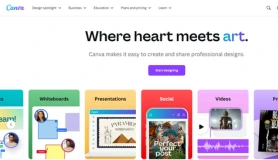
Canva has revolutionized the way we think about design. Its Logo Maker is a standout feature in its design ecosystem, perfect for those who need a logo without learning complex tools. The intuitive drag-and-drop interface makes it accessible for non-designers, while its extensive library of templates ensures you’ll find something to suit your style.
Key Features:
- Over 100 logo templates customizable with fonts, colors, and icons.
- Full integration with Canva’s suite of branding tools for social media, presentations, and more.
- Ability to download logos in PNG, JPG, and even transparent formats (with the Pro plan).
- Animation tools to create dynamic logo designs for videos or social media.
Why You’ll Love It
Canva’s interface is so user-friendly that even someone with zero design experience can craft a professional-looking logo in minutes. The platform also offers educational content, such as tutorials and design tips, making it ideal for first-time users.
Pros:
- Extremely easy to use.
- Hundreds of templates and customization options.
- Free plan with impressive features.
Cons:
- Limited originality unless you heavily customize the templates.
- Vector files (essential for resizing without quality loss) are only available with the Pro plan.
Pricing
- Free: Includes basic tools and templates.
- Canva Pro: $12.99/month for premium features like animations, vector downloads, and advanced customization.
Who It’s For
If you’re a startup, solopreneur, or hobbyist looking for an affordable, all-in-one solution, Canva is an excellent choice. Its versatility makes it ideal for creating not just logos but also entire branding kits.
2. Wix Logo Maker
Best For:
Website integration.
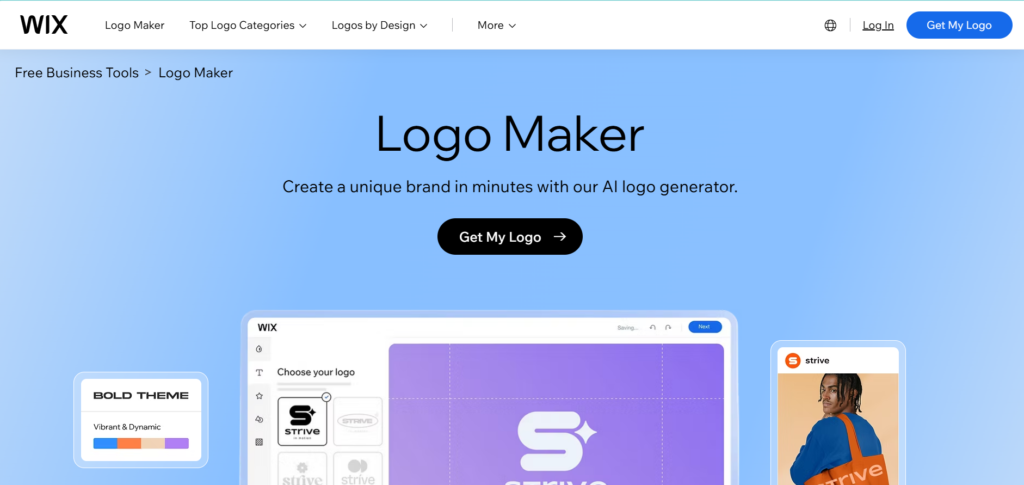
Wix isn’t just a website builder—it’s also a powerful branding tool. Its AI-powered Logo Maker blends technology with your input to create personalized logo designs. All it takes is answering a few questions about your brand, and Wix generates multiple logo options tailored to your preferences.
Key Features:
- AI-driven design process that learns your preferences.
- Full ownership of your logo, ensuring exclusivity.
- Easy integration with Wix websites for seamless branding.
- Branding packages including social media kits and business card designs.
Why You’ll Love It
The AI simplifies the design process, saving you hours of back-and-forth tweaking. Plus, the option to integrate your logo into Wix’s website builder makes it a one-stop shop for entrepreneurs launching an online presence.
Pros:
- Offers personalized logo suggestions based on your inputs.
- Logos are high-quality and professional-looking.
- Combines design and branding tools in one platform.
Cons:
- Customization is limited after the AI generates your logo.
- Add-ons (like branding kits) can quickly increase the cost.
Pricing
- Basic Logo Package: Starts at $20.
- Logo + Branding Kit: Costs vary based on additional features like business cards or social media assets.
Who It’s For
Wix Logo Maker is ideal for entrepreneurs who prioritize speed, simplicity, and website integration. If you’re already using Wix for your website, this tool helps create a cohesive brand effortlessly.
3. Turbologo
Best For:
Quick, AI-generated logos.
Turbologo keeps things simple. With a focus on speed, it’s perfect for anyone who needs a logo yesterday. This platform uses AI to quickly generate designs based on your preferences, with options for manual tweaking
Key Features:
- AI-generated logo suggestions based on industry, style, and colors.
- Unlimited revisions to perfect your design.
- Multiple file formats available for download, including PNG, SVG, and PDF.
Why You’ll Love It
The intuitive interface means you can go from concept to finished product in just a few clicks. If you’re pressed for time or working on a budget, Turbologo delivers a solid, no-frills experience.
Pros:
- Extremely fast design process.
- Affordable for basic needs.
- Includes all essential file formats for versatile use.
Cons:
- Limited template variety compared to competitors.
- Doesn’t offer advanced branding tools like social media kits.
Pricing
- Starts at $15 for a basic logo package.
- Premium packages offer additional features and formats.
Who It’s For
If you’re an entrepreneur, freelancer, or small business owner looking for a straightforward, budget-friendly logo maker, Turbologo is a great option.
4. Adobe Express
Best For:
Designers who want creative control.
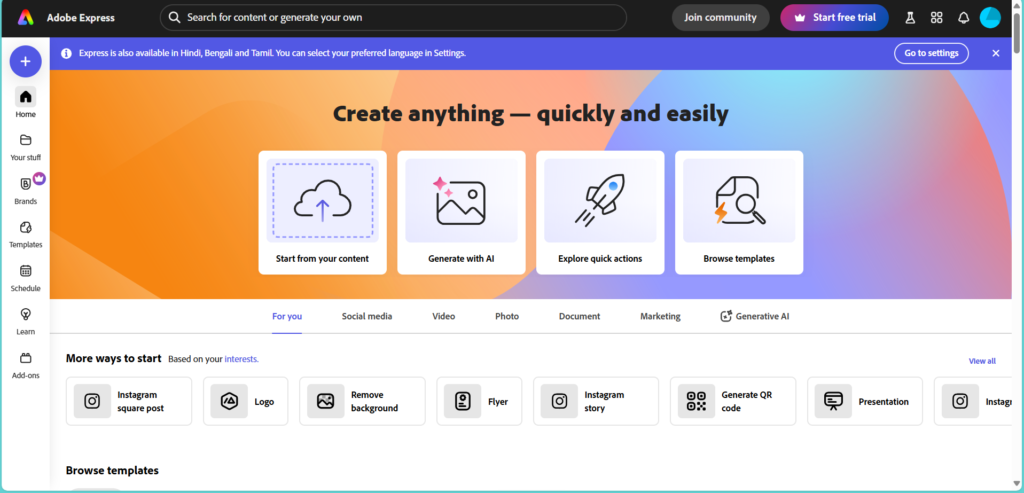
Adobe Express (formerly Adobe Spark) combines Adobe’s industry-standard quality with ease of use. It’s a fantastic option for those who want complete creative freedom without the steep learning curve of tools like Photoshop or Illustrator.
Key Features:
- A vast library of templates, fonts, and icons to mix and match.
- Seamless integration with Adobe Creative Cloud.
- Advanced customization options for a truly unique logo.
Why You’ll Love It
Adobe Express strikes a balance between simplicity and sophistication. While it’s beginner-friendly, it also offers plenty of tools for experienced designers who want to fine-tune every detail.
Pros:
- Professional-quality results.
- Full creative freedom with advanced customization tools.
- Integration with other Adobe tools enhances workflow efficiency.
Cons:
- Beginners may find the interface overwhelming.
- Requires a subscription for premium features.
Pricing
- Standalone Plan: $9.99/month.
- Included with Adobe Creative Cloud subscriptions.
Who It’s For
If you’re a freelancer, creative professional, or business owner who wants total control over your logo’s design, Adobe Express is an excellent choice. It’s particularly beneficial for users already familiar with Adobe’s ecosystem.
5. Hatchful by Shopify
Best For:
E-commerce brands.
Hatchful is a free logo maker by Shopify, built with e-commerce brands in mind. It takes a unique approach by offering industry-specific templates, ensuring your logo resonates with your niche.
Key Features:
- Free-to-use platform with no hidden costs.
- Industry-specific templates for categories like fashion, tech, and beauty.
- High-resolution logo downloads for online and print use.
Why You’ll Love It
Hatchful’s simplicity is its strength. In just a few clicks, you can create a logo that aligns with your e-commerce niche, saving both time and effort.
Pros:
- Completely free to use.
- Tailored for online sellers and e-commerce entrepreneurs.
- High-quality designs with minimal effort.
Cons:
- Limited design options compared to paid tools.
- Doesn’t offer vector files for scaling.
Who It’s For
Hatchful is perfect for Shopify users and small e-commerce businesses that need a functional, industry-specific logo without spending a dime.
6. Looka Logo Maker
Best For:
Branding on a Budget
Looka is more than just a logo maker; it’s an AI-driven branding suite. It simplifies the process of creating a logo and then extends its functionality by offering cohesive branding assets such as social media kits, business cards, and even full brand guidelines.
Key Features:
- AI-powered design engine: Generates logo ideas based on your brand’s input, such as colors, styles, and industry.
- Brand kit: Includes everything you need to establish a consistent brand identity, like social media templates and email signatures.
- Multiple file formats: Download high-resolution files, including PNG, SVG, and vector formats.
Why You’ll Love It
Looka stands out for its focus on delivering not just a logo but an entire branding ecosystem. If you’re working on a tight budget but need professional assets to establish your brand, this tool ensures everything looks cohesive and polished.
Pros:
- Affordable packages with high value.
- The AI makes designing simple and intuitive.
- No subscription is required—pay once for your logo.
Cons:
- Limited customization options compared to Canva or Adobe Express.
- Add-ons like brand kits can significantly increase costs.
Pricing
- Logo Package: Starts at $20.
- Brand Kit: $65 for additional branding tools.
Who It’s For
If you’re a budget-conscious entrepreneur looking for a one-time solution to create both a logo and other branded materials, Looka is a fantastic choice.
7. DesignEvo Logo Maker
Best For:
Creative Entrepreneurs on a Budget
DesignEvo prides itself on offering an extensive library of templates and icons to cater to diverse industries. With over 10,000 templates and numerous customization tools, it’s perfect for entrepreneurs who want variety without spending a fortune.
Key Features:
- Massive template library: Templates span industries like food, education, tech, and more.
- Customizable elements: Change fonts, icons, colors, and layouts effortlessly.
- Free and paid options: Offers flexibility for users on a tight budget.
Why You’ll Love It
DesignEvo is like a buffet of design options. Its interface is intuitive, making it ideal for non-designers. Plus, the ability to download free, low-resolution logos makes it perfect for side hustlers or freelancers who are just starting out.
Pros:
- Extremely easy to use, even for beginners.
- Free download option for low-resolution logos (ideal for digital use).
- Offers unique templates and a vast range of icons.
Cons:
- Free logos come with watermarks.
- Advanced editing tools are somewhat limited.
Pricing
- Free: Includes low-resolution logos with watermarks.
- Paid Plans: Start at $24.99 for high-resolution files.
Who It’s For
Startups, side hustlers, and freelancers looking for an affordable yet creative logo-making platform will find DesignEvo a perfect fit.
8. VistaCreate Logo Maker (formerly Crello)
Best For:
All-in-One Branding
Formerly known as Crello, VistaCreate is a design platform that includes a powerful logo maker. Its strength lies in its ability to create not just logos but an entire suite of marketing materials. This makes it a great choice for businesses looking to establish a unified brand identity.
Key Features:
- Extensive template library: Thousands of pre-designed elements for logos, social media, and marketing materials.
- Drag-and-drop interface: Simplifies the design process for non-experts.
- Stock images and illustrations: Access to a massive library of visuals to enhance your logo.
Why You’ll Love It
VistaCreate takes the stress out of branding by providing tools that let you design everything in one place. Whether you need logos, Instagram posts, or flyers, you can do it all seamlessly on this platform.
Pros:
- Ideal for creating a cohesive brand aesthetic.
- User-friendly and intuitive interface.
- Affordable pricing with access to premium templates.
Cons:
- Limited logo-specific tools compared to dedicated platforms like Looka.
- Requires creativity to make logos stand out.
Pricing
- Free Plan: Includes basic tools and templates.
- Pro Plaan: $13/month for premium features and templates.
Who It’s For
Small businesses, content creators, and entrepreneurs who want an all-in-one branding platform will appreciate VistaCreate’s versatility.
9. Tailor Brands’ Logo Maker
Best For:
Businesses Wanting an AI-Driven Branding Suite
Tailor Brands goes beyond logos, offering a full branding suite that includes websites, social media tools, and even domain registration. It’s an excellent choice for businesses that need a complete branding solution from one provider.
Key Features:
- AI-powered logo generation: Creates logos based on your brand’s style and preferences.
- Branding suite: Offers tools for business cards, social media assets, and website creation.
Why You’ll Love It
Tailor Brands simplifies the branding process by keeping everything under one roof. The AI designs logos that genuinely reflect your brand’s personality, and the additional tools make it easy to expand your branding efforts across multiple platforms.
Pros:
- Comprehensive branding tools, including a website builder.
- Simple, user-friendly interface.
- Logos are scalable and professional-quality.
Cons:
- Subscription-based pricing can get expensive.
- Less flexibility in editing compared to platforms like Adobe Express.
Pricing
- Basic Plan: Starts at $9.99/month.
- Full Branding Suite: $49.99/month.
Who It’s For
Small to medium-sized businesses looking for an all-in-one branding solution will find Tailor Brands indispensable.
10. Turbologo
Best For:
Speed and Simplicity
Turbologo is designed for those who need a no-nonsense, quick logo creation tool. It’s perfect for startups or individuals who don’t want to spend hours tweaking designs but still need something professional and polished. While its features are streamlined, they are highly effective for those who value efficiency.
Key Features:
- Simple interface: Designed for anyone to use, even with zero design skills.
- Unlimited revisions: Make as many changes as you need until you’re satisfied.
- Multiple file formats: Includes PNG, SVG, and PDF, making it versatile for print and digital use.
Why You’ll Love It
Turbologo’s interface focuses on getting results fast. Unlike other tools that might overwhelm you with options, Turbologo provides a streamlined experience. This is ideal for small business owners who are juggling multiple tasks and need a logo quickly.
Pros:
- Extremely fast design process.
- Affordable entry-level pricing.
- Offers high-quality file formats, ensuring your logo looks great everywhere.
Cons:
- Smaller template library compared to competitors like DesignEvo or Canva.
- Limited advanced customization options.
Pricing
- Starts at $15 for a single logo download.
- Premium packages with branding kits available at additional cost.
Who It’s For
Entrepreneurs and small businesses who need a simple, fast, and affordable solution for logo design will find Turbologo to be a perfect fit.